iPhone 15 Satellite SOS in the City: We Tested It Where You'd Actually Need It Most
Here's the thing about almost every satellite SOS review you've read: they all involve someone standing in a field. Maybe a mountain. Possibly a desert. The photos are gorgeous, the signal bars are nonexistent, and the takeaway is always some version of "yeah, it worked out there."
But here's a question nobody seems to be asking — what about in here? As in, the parking garage under your office building. The subway platform in Chicago. The basement food court in a Manhattan high-rise. The loading dock behind a Costco in downtown Houston.
Because those are the places where regular Americans actually lose signal. Not the Alaskan wilderness. Not the Mojave. Your commute.
We spent several weeks deliberately putting the iPhone 15 into the worst urban signal situations we could find across multiple US cities, and honestly? The results were more nuanced than we expected.
Why Urban Dead Zones Are a Bigger Deal Than You Think
The FCC estimates that coverage gaps in dense urban environments affect tens of millions of Americans every single day. We're not talking about dropped calls during a road trip. We're talking about the moment someone collapses on a subway platform and the person next to them can't get a call out. Or the parking structure where a woman is being followed and her phone shows zero bars.
Apple's Emergency SOS via Satellite launched with the iPhone 14 and carried forward into the 15 lineup — it's designed as a last resort when both cellular and Wi-Fi are unavailable. The feature uses Globalstar's satellite network, and Apple's on-screen prompts walk you through aiming your phone at a clear patch of sky to establish a connection.
That last part — clear patch of sky — is where things get complicated in a city.
What We Actually Tested
Our informal test circuit hit several distinct urban environments:
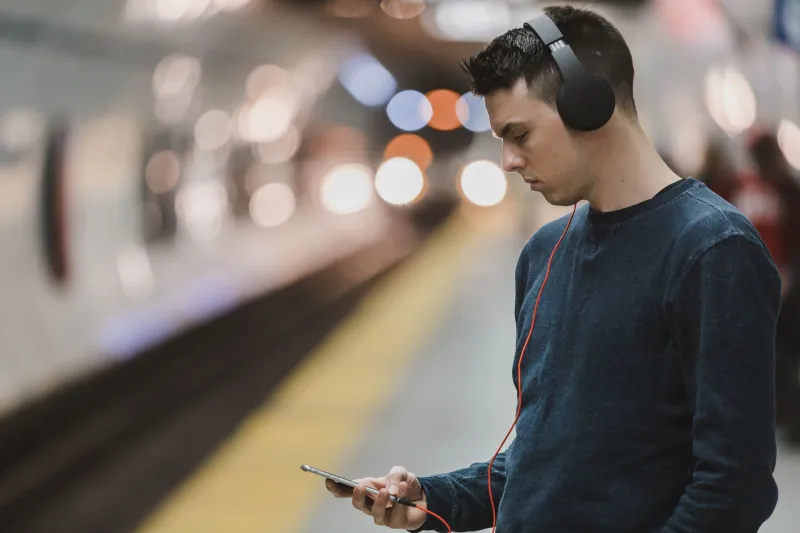
Subway tunnels and platforms — Chicago's Red Line, the DC Metro, and New York's MTA system gave us plenty of underground time. Signal? Consistently zero, even in stations where carriers claim coverage.
Downtown high-rise corridors — Think Michigan Avenue in Chicago or Midtown Manhattan, where buildings create what urban planners call "canyon effect" — essentially walls of steel and concrete that scatter and block radio signals at street level.
Parking structures — Multi-level concrete garages, especially those built into or beneath larger buildings, are basically Faraday cages. We tested several in Seattle and Atlanta.
Dense indoor commercial spaces — Convention centers, stadium concourses, and large basement-level retail spaces.
For each location, we documented whether Emergency SOS via Satellite could even initiate, how long it took to establish a connection when it did, and whether the follow-up message relay (which routes through Apple's relay centers to emergency services) completed successfully.
The Part That Surprised Us
Let's start with the obvious: deep underground, it doesn't work. If you're on a subway platform two stories below street level with concrete above you, satellite connectivity isn't happening. The physics simply don't allow it — satellites are in low Earth orbit, and your signal needs a clear line to the sky. No sky, no satellite. This isn't a knock on Apple; it's just geometry.
But here's what did surprise us.
In the urban canyon situations — those street-level corridors between tall buildings — the iPhone 15 managed to establish satellite connections more reliably than we anticipated. It wasn't fast. The on-screen prompt that tells you to move toward open sky helped a lot, and in some cases, walking just half a block to an intersection (where there's a visible slice of sky overhead) was enough to get a connection started.
Average connection initiation time in workable urban conditions hovered around 90 seconds to three minutes — notably slower than the sub-60-second connections we've seen in genuinely open environments, but functional. Once connected, message relay to Apple's emergency center completed consistently.
Parking garages were the wildcard. Open-top structures — the kind that are essentially just slabs of concrete with no roof — worked surprisingly well from the upper levels. Enclosed multi-story garages? No luck, same as underground.
The Cities Where This Matters Most
Not all US cities are created equal when it comes to urban dead zones. Based on our testing and available carrier coverage data, a few metros stood out as particularly problematic:
- New York City has the most extensive subway system in the country, and despite years of promises, cellular coverage underground remains inconsistent at best. The MTA has been slowly rolling out signal infrastructure, but large stretches of the system are still dead zones.
- Chicago has similar issues on the L system, particularly on underground segments of the Red and Blue lines.
- Washington DC has made more progress than most with underground Metro coverage, but outlying stations and tunnel segments still drop signal regularly.
- Seattle and San Francisco both have notorious signal problems in their hilly downtown corridors, where topography compounds the canyon effect.
In all these cities, the satellite SOS feature becomes most relevant the moment you emerge from underground or find even a partial sky view. The lesson: if you're in trouble and underground, your first move should be getting to street level or finding a window.
So Is It Actually Useful in the City?
Honestly — more than we expected, with some real caveats.
The feature isn't going to help you if you're trapped in a basement or a subway car. But for the much more common scenario of being somewhere with spotty coverage — a dead zone between cell towers, a thick-walled building, an outdoor area that just happens to be in a carrier shadow — it's a genuine safety net that most people are sleeping on.
What Apple has built here is less about extreme wilderness survival and more about filling in the gaps of an imperfect cellular network. And in that framing, the urban use case makes a lot of sense.
The iPhone 15's implementation also benefits from a couple of years of refinement since the feature debuted on the 14. The guidance prompts are clearer, and the connection process feels slightly more intuitive — though it's still not the kind of thing you want to figure out for the first time during an actual emergency.
The Bottom Line
If you're evaluating the iPhone 15 and wondering whether satellite SOS is a feature worth caring about as a city dweller, the answer is a qualified yes. It's not magic — concrete and steel still win against radio physics — but it's a more capable urban tool than its wilderness-focused marketing suggests.
The real advice? Take five minutes to run through the demo mode Apple built into the feature before you ever need it for real. You'll find it under Settings > Emergency SOS. Knowing how it works in a calm moment could make a meaningful difference in a stressful one.
And maybe don't count on it in the subway. That part we can confirm.