Unlock Your iPhone 15's Hidden Zoom Powers Before Your Next Big Moment
Here's a confession: the first time I used the iPhone 15 Pro's 5x optical zoom at a Braves game, I nearly dropped the phone. The detail on the pitcher's face from the upper deck was almost unsettling. But that reaction — that genuine surprise — only happened because I finally stopped tapping the little "2x" button like a tourist and started actually learning the system.
Apple's marketing for the iPhone 15 camera is polished to a mirror shine, but it tends to gloss over the practical mechanics of how the zoom actually works in the wild. So let's fix that.
First, Know What You're Actually Working With
Before you can use the zoom smartly, you need to understand what's happening under the hood — because the iPhone 15 lineup isn't one camera system, it's basically two different philosophies in the same product family.
The standard iPhone 15 and 15 Plus top out at 2x optical zoom (achieved by cropping the main 48MP sensor, not a separate lens). That's a real limitation, and it matters. The iPhone 15 Pro and Pro Max are a different story entirely. The Pro gives you 3x optical zoom via a dedicated telephoto lens, while the Pro Max bumps that to 5x — a genuine tetraprism periscope-style setup that Apple borrowed from the playbook of competitors like the Samsung Galaxy S23 Ultra.
Digital zoom extends further — up to 15x on the Pro Max — but that's where things get complicated. More on that in a second.
The 2x Button Is a Trap (Sometimes)
One of the most common mistakes iPhone 15 users make is reflexively hitting 2x and calling it a day. On the Pro models, that 2x tap isn't actually engaging a dedicated lens — it's using a cropped portion of the main sensor. In good light, that's totally fine. In a dimly lit concert venue or a shaded trail? You're throwing away sensor data you desperately need.
The smarter move: stay on the main wide lens and crop in post. If you're shooting RAW (and you should be, more on that shortly), you have far more flexibility in editing than a locked-in 2x digital crop gives you at capture time.
On the Pro Max specifically, the 5x optical lens is your sweet spot for anything from 3x to about 7x. Past that, you're in digital zoom territory and quality starts degrading noticeably — though the computational processing does a surprisingly good job of hiding it up to around 10x in bright conditions.
Concert Photography: Where the Zoom Game Changes
Let's talk about real scenarios. You're at an arena show — say, a Taylor Swift or Beyoncé tour stop — and you're 200 feet from the stage. The iPhone 15 Pro Max at 5x optical is legitimately impressive here. Lock focus manually by pressing and holding on the subject, then let the camera settle before firing. The optical image stabilization on the telephoto lens is strong enough to compensate for the swaying crowd around you.
What doesn't work: hammering the shutter in burst mode at 10x digital zoom. You'll end up with a folder full of blurry, noisy images that look like they were taken through a screen door. Instead, shoot at 5x, embrace a slightly wider frame, and crop in editing. You'll keep way more detail.
Pro tip: switch to Action Mode if the lighting is decent. It was designed for movement, and it smooths out that concert-crowd wobble better than you'd expect.
Real Estate and Architecture: The Underrated Use Case
Zoom photography isn't just for sports and concerts. If you've ever tried to photograph a house — whether you're a realtor, a buyer documenting a property, or just someone who wants a clean shot of a building's facade — the iPhone 15's zoom system is genuinely useful in ways most people overlook.
At 3x on the Pro, you can compress a building's exterior in a way that the wide lens simply can't, flattening perspective and making architectural details pop. Real estate photographers who've traditionally relied on dedicated cameras have started using the Pro Max as a legitimate backup tool, not just for convenience, but for quality.
For interior walkthroughs, flip to the ultra-wide lens instead — but when you want to highlight a fireplace mantel, built-in shelving, or crown molding detail from across the room, that 3x telephoto earns its keep.
Wildlife and Nature: Patience Plus Zoom Is a Real Combination
Backyard birders and trail hikers, this section is for you. The iPhone 15 Pro Max at 5x can capture a red-tailed hawk perched on a fence post from a respectful distance without spooking it. Is it going to replace a dedicated 600mm mirrorless lens? Obviously not. But for casual nature photography, it's more capable than most people give it credit for.
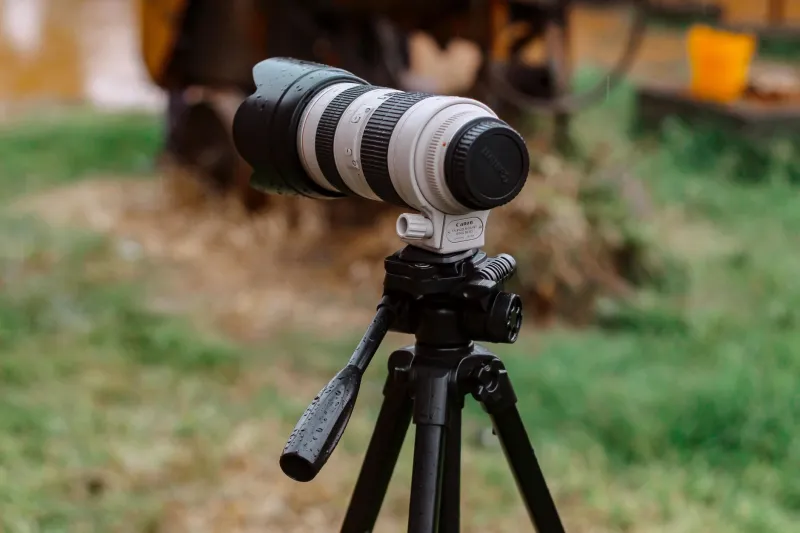
The key is stability. Use a small tripod or prop your elbows on a surface. At 5x optical and beyond, any shake is amplified significantly. The Lock Camera feature (tap and hold to lock exposure and focus) is your best friend here. Set it, wait for the bird to stop moving, then shoot.
Shoot RAW — Seriously, Just Do It
If you have an iPhone 15 Pro and you're not shooting Apple ProRAW, you're leaving a significant chunk of the camera's capability on the table. RAW files capture far more tonal and detail information than JPEG, and when you're zooming in on a subject, that extra data makes a visible difference in post-processing.
Apps like Halide or Lightroom Mobile give you even more granular control over how RAW files are captured and processed. The learning curve is modest, and the results — especially when recovering shadow detail in a telephoto shot taken at golden hour — are worth every minute.
Where the iPhone 15 Beats (and Gets Beat by) the Competition
Fair is fair: the Pixel 8 Pro's Super Res Zoom is arguably better than Apple's digital zoom processing at equivalent focal lengths. Google's computational photography pipeline has been doing this longer, and it shows when you're pushing past 10x. The Galaxy S24 Ultra with its 200MP main sensor also competes seriously in the zoom-and-crop game.
But the iPhone 15 Pro Max holds a real edge in one area: consistency. The color science, the stabilization, and the overall reliability of the zoom system across wildly different shooting conditions — harsh noon sun, dim restaurant lighting, stadium floodlights — is hard to beat. You don't have to think as hard to get a good shot. And for most people, that consistency matters more than peak performance in a controlled test.
The Bottom Line
The iPhone 15's zoom system is genuinely impressive, but it rewards users who take the time to understand it. Stop defaulting to the 2x button. Shoot RAW when it matters. Use your optical range before reaching for digital. Lock your focus. And give the telephoto lens a chance in situations you might not think to use it — you might be surprised what it can do.
Apple built something sophisticated here. It just didn't bother explaining all of it.