iOS 18 Just Gave Your iPhone 15 a Second Wind — Here's What Actually Changed
Every fall, Apple does this thing where it announces a shiny new iPhone and simultaneously ships a software update that makes your current phone feel like it got a tune-up. Sometimes that's mostly marketing spin. But with iOS 18 landing on the iPhone 15 — especially the Pro models packing that A17 Pro chip — there's a real argument that this update delivers more than the usual coat of paint.
So let's skip the feature list Apple already put on its website and talk about what actually matters for iPhone 15 owners deciding whether to upgrade their OS, their hardware, or neither.
The A17 Pro Is Still Doing Heavy Lifting
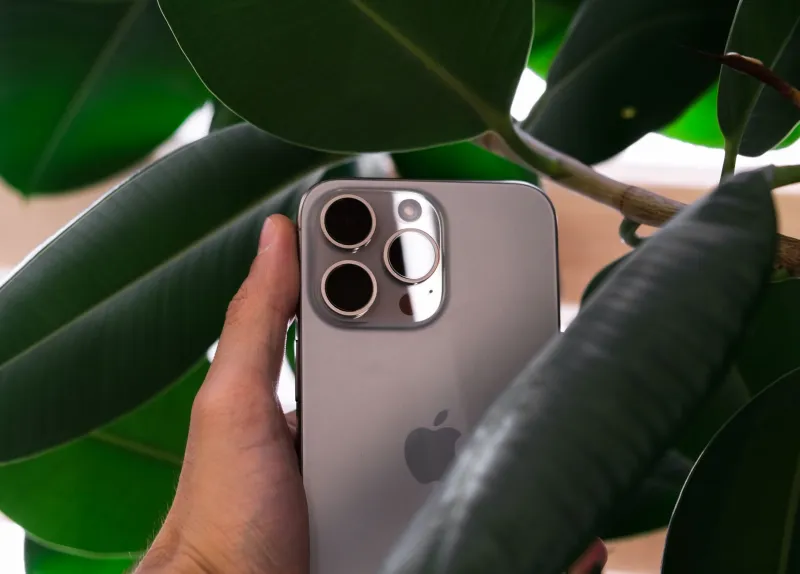
Here's the thing people keep forgetting: the A17 Pro in the iPhone 15 Pro and Pro Max is still a genuinely powerful chip. Apple built it on a 3-nanometer process, and even a full year after launch, it's trading punches with the A18 in the iPhone 16 lineup for the vast majority of everyday tasks.
Why does that matter for iOS 18? Because several of the update's most interesting features are computationally demanding, and the A17 Pro handles them without breaking a sweat. If you're on a standard iPhone 15 with the A16 Bionic, you're still in solid shape — but Pro owners are getting a slightly richer experience in a few specific areas we'll get into below.
Apple Intelligence: The Part Worth Paying Attention To
Let's address the elephant in the room. Apple Intelligence — Apple's branded suite of on-device AI tools — is technically part of the iOS 18 rollout, though it arrived in stages through point updates. For iPhone 15 Pro users, most of these features are accessible. For standard iPhone 15 owners, some of the deeper AI capabilities are gated behind the A17 Pro requirement, which means you're working with a slightly trimmed version of the experience.
That said, the writing tools and notification summaries that do land on iPhone 15 are legitimately useful. Notification summaries alone have changed how a lot of people process their morning phone check — instead of wading through 30 alerts, you get a digest that's surprisingly accurate. It's not perfect, and it's still learning, but it's the kind of feature that quietly earns its keep after a few weeks.
The rewrite and proofing tools in Mail and Messages are similarly understated but practical. Whether you're drafting a work email or just trying to sound less irritated in a group chat, having a quick tone-adjust option sitting right there is more useful than it sounds in a press release.
The Home Screen Finally Grew Up
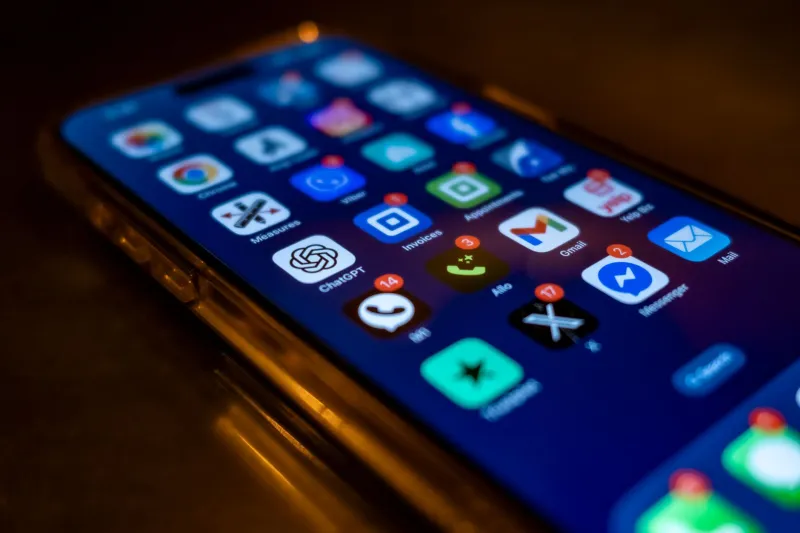
This one applies to every iPhone 15 model, and it's bigger than it sounds. iOS 18 finally lets you place app icons anywhere on the home screen grid — not just packed tight from the top-left corner. You can also tint icons to match a color scheme, or go fully dark across the board.
Nobody's going to call this revolutionary, but for the chunk of iPhone users who've wanted this level of customization for years, it genuinely changes how the phone feels to use every day. Android users have had this forever, and the iOS implementation is clean enough that it doesn't feel like a compromise.
Lock screen customization got another round of refinements too. Swapping out the flashlight and camera shortcuts at the bottom of the lock screen is something people have wanted since the Dynamic Island era began, and now it's just a setting.
Control Center Got a Real Overhaul
If you've been using the same Control Center layout since iOS 14, iOS 18 is worth updating for this alone. The redesigned Control Center lets you build multiple pages, resize controls, and add third-party app shortcuts in a way that actually makes sense. It's modular in a way that feels thought-out rather than bolted on.
For iPhone 15 Pro owners who've been using the Action Button, this pairs nicely. You can route the Action Button to launch a specific Control Center page, which opens up some genuinely useful quick-access workflows — especially if you're someone who switches between modes throughout the day.
Photos App: A Rebuilding Year
We'd be doing you a disservice if we didn't mention that the redesigned Photos app in iOS 18 had a rocky reception. Apple completely restructured how your library is organized, removing the familiar Albums tab in favor of a single scrollable view with auto-generated collections.
Some people love it. A lot of people found it disorienting, at least at first. The good news is that the underlying search and memory-generation features are genuinely better — finding a specific photo from a trip three years ago is faster and smarter than it used to be. The A17 Pro handles the on-device processing for these searches noticeably well. But if you open the app expecting things to look the same, give yourself a week before you judge it.
Messages Got Smarter in the Right Ways
RCS support technically arrived before iOS 18, but the update refined the experience further. If you're texting Android users regularly, the gap between green and blue bubbles has narrowed in a real way — better image quality, read receipts, typing indicators. It's not iMessage, but it's a lot better than what SMS was.
Beyond RCS, the scheduling feature in Messages is the kind of addition that sounds minor until you use it. Being able to write a text and queue it to send at 9am instead of 2am is one of those quality-of-life things that just makes sense.
So Should You Upgrade the Software or the Hardware?
Here's the honest take: if you're on an iPhone 15 Pro or Pro Max, iOS 18 delivers enough genuinely useful changes that updating makes your phone feel meaningfully refreshed. The AI features, the home screen flexibility, the Control Center overhaul, and the improved on-device smarts all leverage what the A17 Pro is capable of in ways that show.
If you're on the standard iPhone 15, the update is still worth doing — you're not getting left behind, and most of the quality-of-life improvements land across the board. You'll miss some of the deeper Apple Intelligence features, but the day-to-day experience is better either way.
As for whether any of this justifies buying an iPhone 16 instead? That's a harder sell unless you specifically want the Camera Control button, the A18's extra AI headroom, or you're due for an upgrade anyway. iOS 18 genuinely extends the useful life of the iPhone 15 in a way Apple doesn't always manage. That's worth something.
Your iPhone 15 isn't yesterday's news. With iOS 18 on board, it's got at least another solid year of relevance — and that's not nothing.